Why Your Design Workflow Breaks (And How KIMP360 Fixes It)
TL;DR
- Fragmented design workflows cause delays, unclear feedback, file confusion, and inconsistent creative output.
- KIMP360 streamlines design requests, feedback, files, approvals, and progress tracking into one platform.
- Features like AI-assisted briefs, convenient feedback, and live project boards improve collaboration and reduce operational bottlenecks.
If you’ve ever managed creative work across more than one channel, (honestly, who hasn’t) you already know what a fragmented design workflow feels like. A vague design brief on Slack, a longer email with attachments that explain the idea further, and then a voice note on the feedback. Somewhere, there is another spreadsheet that is supposed to keep track of everything. And somehow the design is still not on track. If that’s how your design workflow looks, it’s time to address it.
But let’s be clear – this isn’t a productivity problem. It’s just a problem with the processes in place and it’s more common than most marketing teams want to admit.
When processes are broken, when individual tasks and files and discussions exist in siloes, chaos ensues. If not immediately, it does in the future, at crucial moments where even the smallest delays can cause major bottlenecks.
So, today we’re discussing the reasons why design workflows break and how KIMP360 addresses most of these gaps.
What Broken Design Workflows Actually Look Like
If you look at community forums like Reddit, you’ll find marketing professionals venting about a problem most teams ignore – the nightmare of managing creative requests inside everyday chat tools. The consensus points to a painfully recognizable pattern – fragmented design workflows that create chaos instead of collaboration.
While it might not be an evident problem, its repercussions start to show in the most unexpected places. Sudden budget spikes, delays in launching campaigns, inconsistencies across designs and unpredictable timelines, to name a few!
What a Structured Design Workflow Platform Actually Needs to Provide
A system that streamlines the process and bridges the gaps needs a few things:
- A structured request submission process
- Centralized project board showing real-time status of every request in the queue
- A feedback mechanism that makes things simpler for both the designer and the other stakeholders
- File management that organizes everything in one place
- Integrations that connect with the tools teams already use
- And notification controls sophisticated enough that the right people get the right alerts without everyone being buried in noise.
This is the architecture KIMP360 was built around. And that’s precisely why our clients love it.

What is KIMP360? KIMP360 is our custom-built platform designed to create, manage and track design requests conveniently. It is a platform we built to streamline and simplify collaboration so our clients can stop worrying about broken, unmanageable design workflows.
Gaps in Modern Design Workflows + How KIMP360 Addresses Them
Briefs that live in chat
When submitting design briefs, most teams do so through chat or email. Because they seem convenient and because they are readily available. But that’s where the problem starts. When drafting an email or a chat message, you are more likely to miss a detail or two.
Besides, as further conversations follow, the details get buried and the reference point to return becomes a never-ending search. As a result, the designer has incomplete information to begin with or spends all their time digging through conversations to find the information they are looking for.
How KIMP360 closes this gap:
Every design project on KIMP360 starts with a structured request form that captures all the details a designer needs in order to work on the design and create something that aligns with the goal. The structure ensures clarity from the client and gives the designer a complete brief attached permanently to the project card, accessible at any point. Also, when you anticipate several similar requests, you can create templates for quick access.

We recently also introduced the AI Request Form, an AI-assisted brief builder that helps users write useful design briefs quickly without missing any key details.

Our post here delves a little deeper into the types of request forms on KIMP360.
No way to track progress
In fragmented design workflows, nobody has a reliable answer to the question “where are we on this?” Status tracking becomes a challenge when some stakeholders are conversing with the designers on email and some have updates shared on chat.
Getting a real-time picture of which requests are queued, which are in progress, which are waiting on feedback, and which are approved requires manually aggregating information from multiple disconnected sources. These knowledge gaps create a bigger problem than you think.
How KIMP360 closes this gap:
KIMP360’s project board gives every team member a live view of all active requests and their current status. Queued, in progress, in review, approved, complete, the full picture, without a status meeting, without pinging anyone, without scrolling through large spreadsheets.
Here’s a snapshot of what your board would look like. You can also switch between Simple View and Full View depending on how much information you want displayed on your screen.

With clear labels and tags and the option to filter and prioritize tasks, you can quickly get a snapshot on where the team is with the submitted requests.
The constant hunt for the one file you cannot find
Not having a centralized file management system is one of the main reasons why design workflows break. The same design exists as different files in different formats, not to forget, different versions shared across multiple email chains and chat conversations. So which one is the approved deliverable? When that question comes up, you do not have an answer.
Was the final version sent to the client the same as the one that the team approved? No answer again! This can be a problem. Even when you have all the files, you do not have them all organized. The result is that designers rework on an older version that was already updated or you share an outdated version with your client or you launch your campaign with a design that was not approved.
How KIMP360 closes this gap:
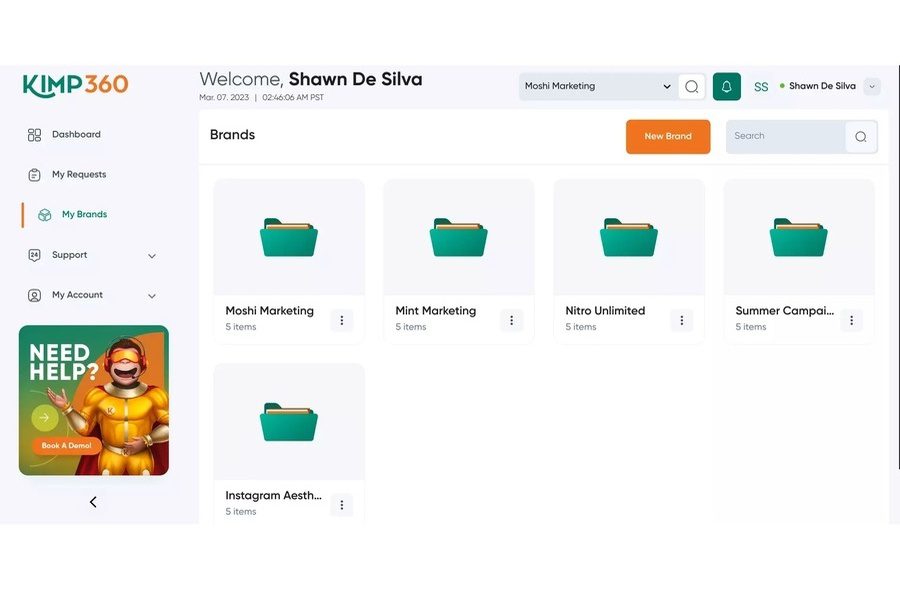
All your design files are organized in your KIMP360 dashboard in dedicated locations with separate brand folders so that you do not have to spend all your time rummaging through multiple files and folders.

No clear notification mechanism
There’s a seemingly small problem in design workflows that can actually create a lot of confusion or lead to missed deadlines and that is the lack of a clear notification mechanism. When communication happens through email only, the inbox is overflowing with email chains with no clear priorities. On chat, going back to past conversations isn’t easy.
So, when project updates arrive through multiple chats or different emails simultaneously, important updates get lost in the noise. These could be genuinely important alerts like when a design is ready for review and waiting for approval or when a revision is completed and the deadline is approaching.
How KIMP360 closes this gap:
On KIMP360, depending on where you access your dashboard, (on your mobile or desktop), you can toggle notifications through email, push and alerts on your dashboard on or off for various events like “mentions”, “comments” and more.
This lets you be notified of only what matters to you. So no more missed notifications or notification overload.

Complicated multi-step feedback process
Giving feedback itself feels like a challenge, we get it. Not all non-designers can accurately use the right design terms to describe the changes they want with the design. For instance, what looks like “too much going on in a design without a clear message” might actually be the “lack of clear hierarchy”.
But that’s not all. How do you describe that one element in the one corner in your design? How do you describe accurately where to move what or what to remove or what to add? Too many words don’t always mean a clearer message.
You need the right channels, the right platform to point and highlight what went wrong and why. When this is missing, it can break your design workflow. After all, feedback is one of the most crucial components in any design workflow. Because it influences the designers’ understanding of a brand and is particularly valuable in long-term collaborations like unlimited design subscriptions.
How KIMP360 closes this gap:
KIMP360’s built-in feedback tool allows users to leave comments directly on design files, attached to the relevant version of the work. The custom feedback tool improves how comments on the design are structured and tracked.
You can point and click on the design to directly add comments in relevant places or draw on the designs for clearer instructions. The visual feedback simplifies the process both for the client and the designer.
In addition to this, the Loom integration in KIMP360 lets users include video explanations to clearly describe what needs to be updated in the design. All these features ensure that users can add clear and descriptive feedback all in one shot and that all these comments are in one place so that future revisions do not ignore past comments.
The stakeholders are not always in the loop
In outsourced design workflows, one of the main hurdles is being unable to keep all stakeholders in the loop. A marketing manager might own the account, but a brand strategist needs to review assets for consistency, a social media coordinator needs to download finished files on their own schedule, and a department head wants to see what’s in progress without having to ask for updates.
In a fragmented design workflow, keeping all of these people informed means the account owner becomes a manual relay. They forward files, summarize statuses and CC the right people on the right emails. This can get overwhelming when there are multiple stakeholders and multiple design requests to keep track of.
How KIMP360 closes this gap:
KIMP360 simplifies the process by allowing users to conveniently add team members to the dashboard. Additionally, you can assign different roles to each member like Client Admin, Client Associate and Client Viewer each with a different set of permissions.
For businesses that choose an unlimited design subscription specifically to reduce the operational overhead of managing creative work, this is the kind of feature that makes that promise extend across the whole team, not just the one person who set up the account.
FAQs About Design Workflows
Design workflows usually fail because information is scattered across multiple channels and multiple files. This leads to missing details, poor communication, confusion about which files to download and use, and delays in approvals.
Too many files scattered in different locations, never-ending feedback loops leading to bottlenecks, inconsistent designs, constant deviation from design briefs, lack of clear ownership, trouble locating source files, and constant gaps in communication are just a few signs that tend to show when design workflows are broken.
Centralized tracking gives teams real-time visibility into project status. It eliminates the need for constant follow-ups and helps prevent unprecedented delays.
Fix the Workflow, Fix the Output
Fragmented design workflows break eventually and lead to missed deadlines, because you do not have the right creatives at the right time. Even the best designers cannot save a brand from the gaps in a design workflow. Only a reliable system can, an organized design workflow.
That’s exactly where KIMP360 fits in. It brings structure to requests, clarity to feedback, and visibility to every stage of your design process. No more chasing updates. No more digging through files. And no more guesswork.
Want to see how KIMP360 can bring more order into your design workflow? Sign up for a KIMP subscription or register for our 7-day free trial and start right away.